Fight through an RPG adventure where you do push-ups to defeat enemies.
Get it on iOS
Download Pushup Adventure for iPhone and iPad from the App Store.
Get it on Google Play
Please follow the instructions below to join the Android open beta.
-
Join the tester group
Switch to your Google Play email if needed, tap "Join group", then come back here for step 2.
Join tester group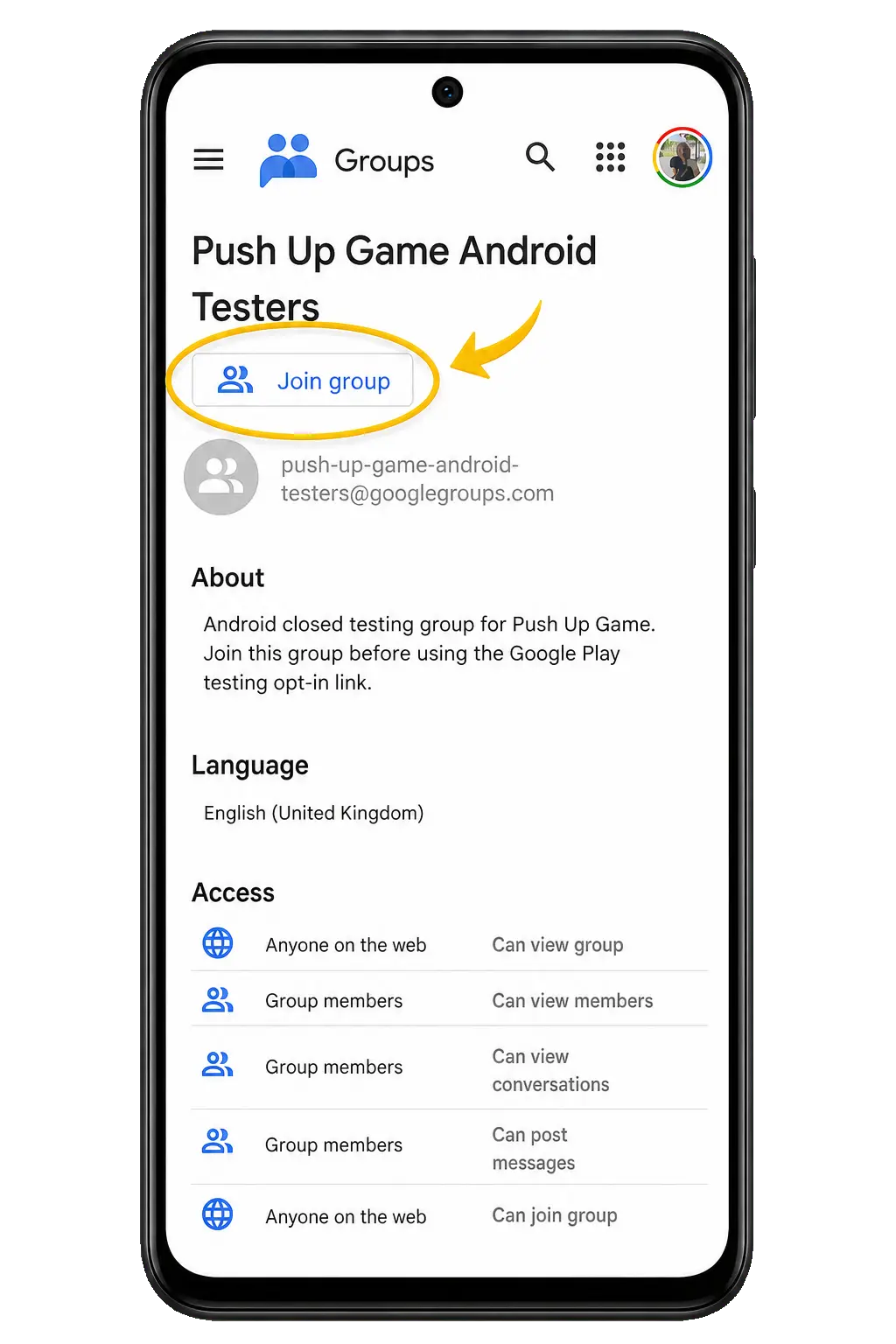
-
Confirm the group join
Review the group settings, then tap "Join group" to finish joining the tester group.
Get Android game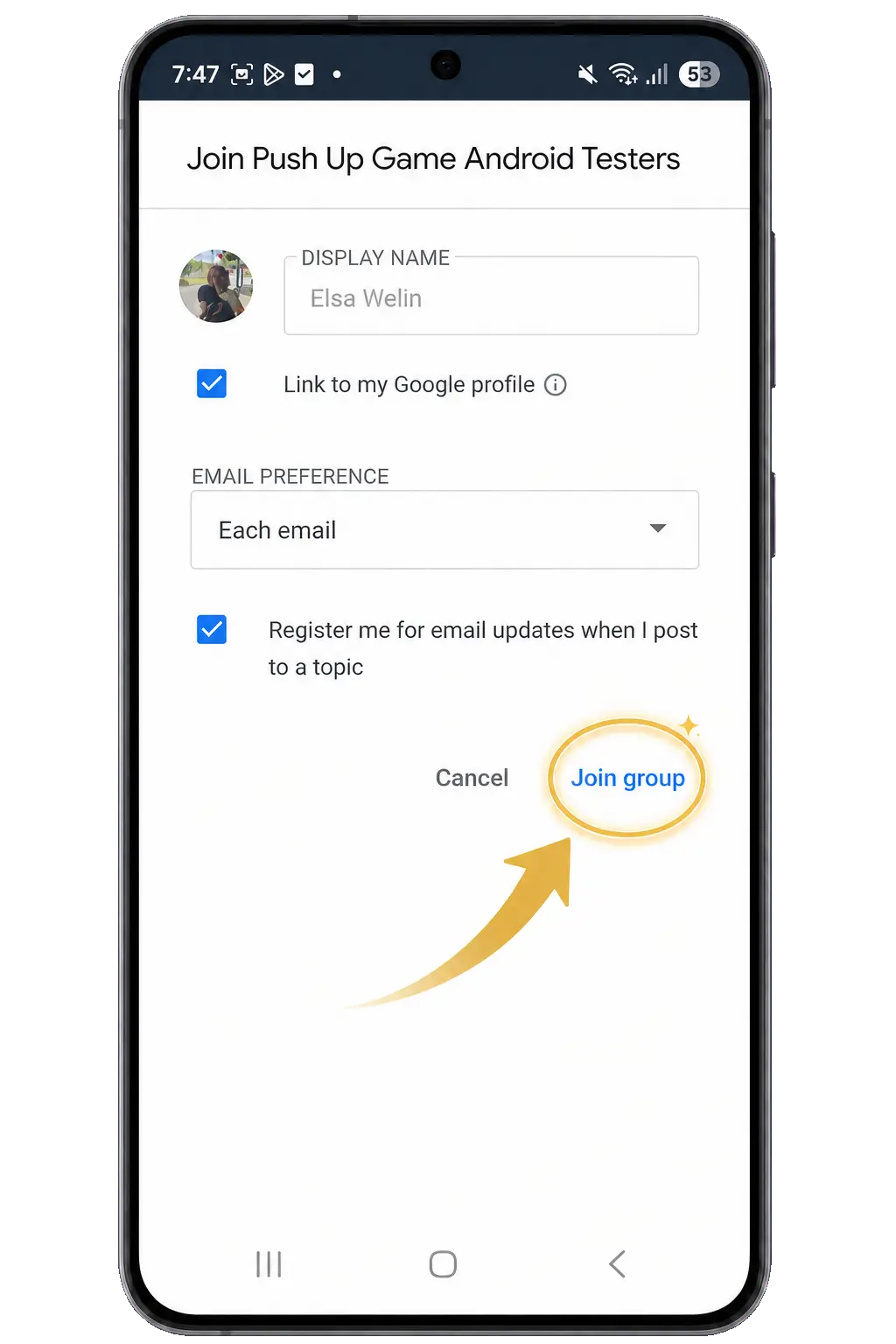
-
Open Google Play
Using the same email, tap "Become a tester". Google Play may take a little while to update and let you see the game, so wait a few minutes and check again before downloading or updating Pushup Adventure.
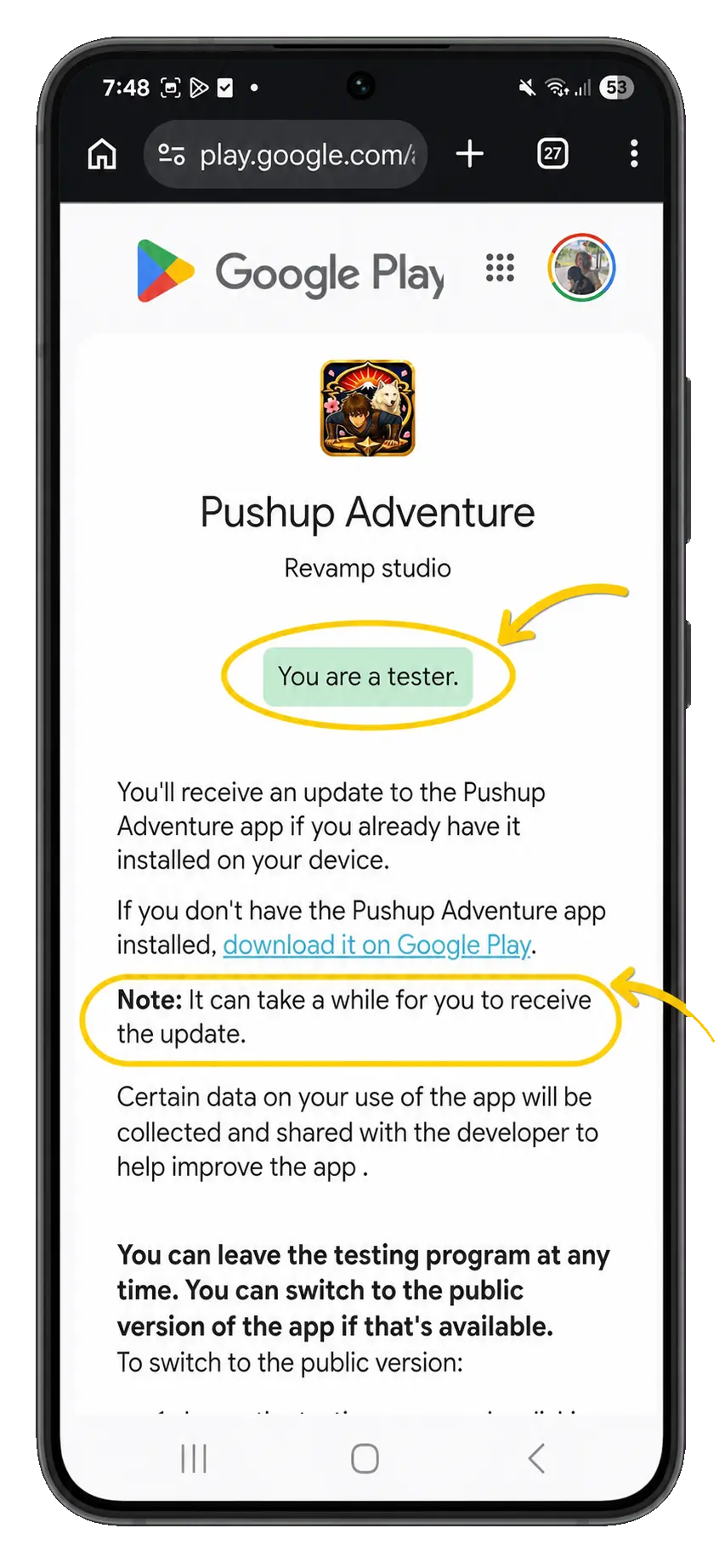
Seeing the wrong account? Tap the profile picture on Google's page and switch accounts. After you tap "Become a tester", Google Play may take a little while to update and show the game.